Silent Brainstorming with Ideaflip's Private Scratchpads
Here at Ideaflip we're big fans of a technique called the 'Silent Brainstorm'. In fact, Ideaflip wouldn't exist without it!
In contrast with a traditional brainstorm, it's a structured approach that helps to get the best out of everyone in the team.
The psychologist Daniel Kahneman, author of the brilliant Thinking Fast, Slow, identified the pitfalls of something called the ‘Halo Effect’. In groups, generally those who are the most confident or most forceful are the ones whose ideas get picked up and taken forward, regardless of the strength of their arguments.
By having a silent brainstorm and asking each participant to present their ideas in turn, democratically, not only does everyone get an equal hearing, the ideas themselves are given a fairer hearing, with less bias from social dynamics.
So, how does it work?
How to Run a Silent Brainstorm
There are five stages to running a silent brainstorm:
-
define the goal - this is a very important part of the process, the facilitator should clearly state what the topic of the brainstorm is - ideally concisely describing the context and aims of the meeting.
-
the silence - individually each participant quietly sits and writes down ideas on sticky notes. Each idea should be written on a new note - separate anything with an 'and'! Aim for a very short sentence (not a single word, nor an essay) on each.
Keep going until everyone has run out of ideas - and then keep going for just a bit longer! Often, once the obvious ideas are out, the discomfort of this final stretch can pull out the most valuable and unexpected contributions.
-
take turns to share - each person should present one of their ideas by placing the sticky note into the middle of the board and briefly describing how it relates to the goal in their own words. Interruptions should be kept to a minimum and limited to clarification questions only.
During this process there will often be seemingly duplicate ideas, but each person should describe how their version differs from what's already been presented. Feel free to update or annotate one of the sticky notes with extra clarifying description if necessary.
Also, during this process, individuals may think of new ideas or things they've missed or overlooked - these should be captured on new notes to be presented in a later turn.
-
organise - at this point you should use the layout of the notes to reflect common or related themes. This is usually done by clustering notes together into groups. If your team is small enough this can also be done silently (or at least reasonably quietly) with everyone moving ideas around. This is both quick and can reveal surprisingly different perspectives!
-
assess and summarise - depending on the goal of the session, the final part of the process is to prepare the groups of ideas for the next steps. This could be something like:
- naming the groups of similar ideas for easy referral
- silent voting for each person's top 3-5 ideas
- capturing the board for reporting back or a follow up session
At the end of the silent brainstorm everyone should have had a chance to contribute and everyone is likely to have a much better understanding of what the team as a whole thinks.
Private Scratchpads - Space to Think
One of the difficulties of running a silent brainstorm meeting using an online whiteboard is that everyone's notes are visible while they're being written. The usual approach to this is for each participant to 'claim' (or be allocated) a part of the board for them to work in - with an informal agreement to not 'peek' 🫣.
Ideaflip takes a different approach - using it's unique new feature of Private Scratchpads. This feature, a facilitator tool that's available on any of our paid plans, enables each user to write and organise their notes in a private workspace before sharing them.
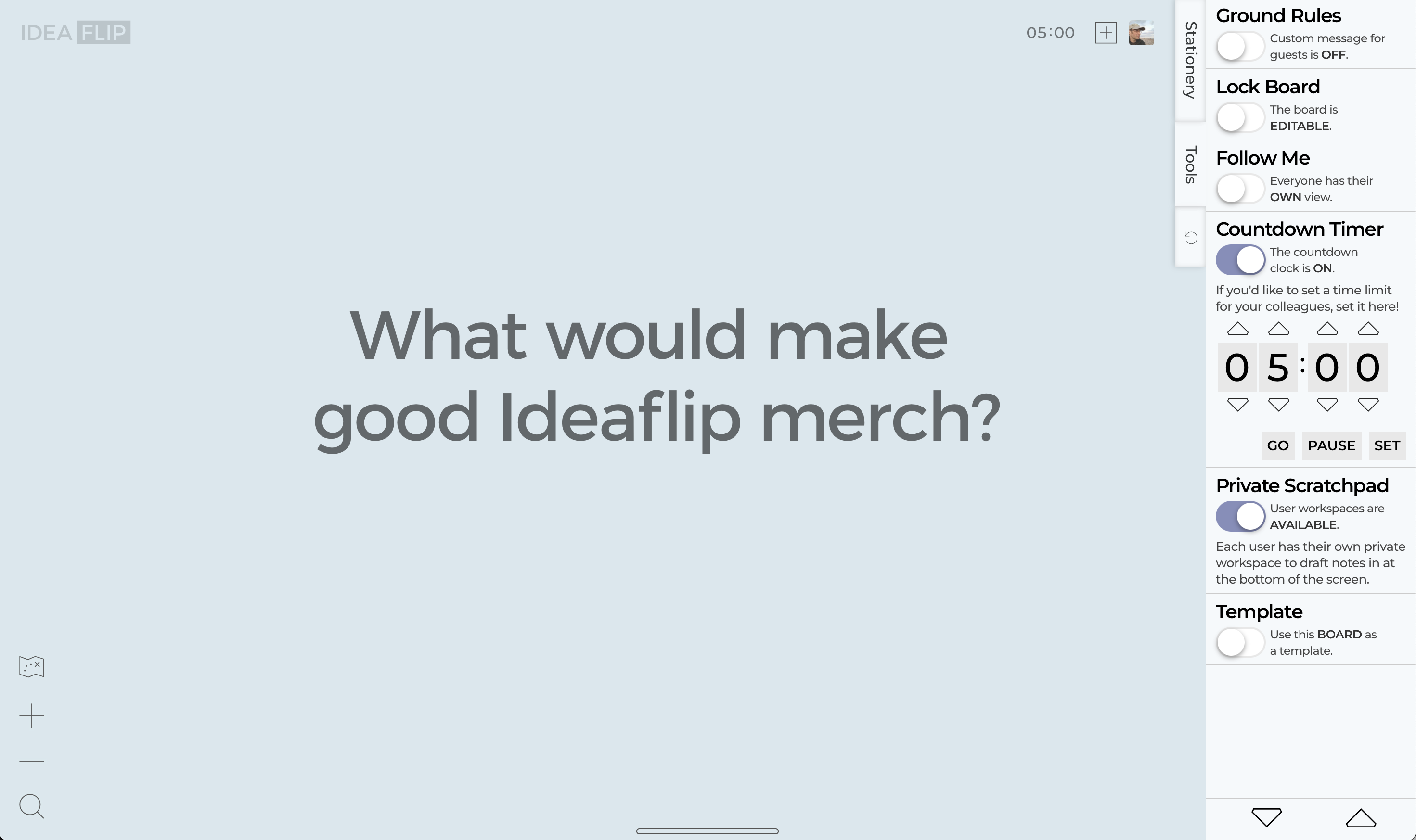
Private scratchpads are switched off by default, but are easily enabled by tapping on the Tools tab in the side drawer and then tapping the slider to enable them.
All board users will then be able to access their own scratchpad by clicking on the lozenge at the botom of the screen. The workspace area can be dragged up and down - and works just like the shared part of the Ideaflip board. Just drag notes to it, and click twice on them to edit.
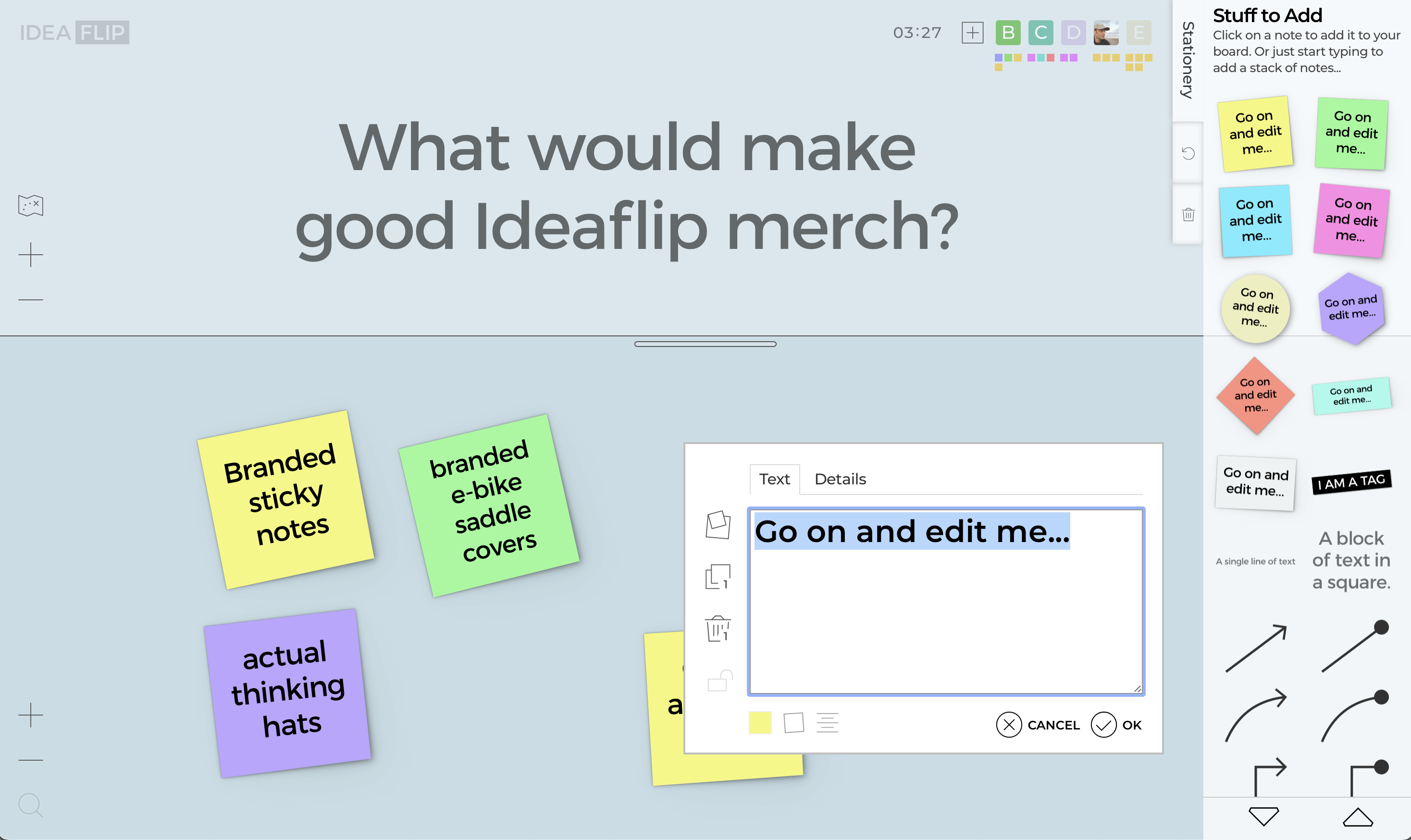
Note that the little bar showing your teammates at the top right of the screen has mini-activity indicators under each person's avatar icon. This shows roughly how many notes each person has added to their scratchpad and gives a rough idea of how folk are getting on.
Time's up - or is it?
One of Ideaflip's facilitation tools is a shared countdown timer - just click the arrows to tell the timer to run for 5 minutes (or longer). Then SET the clock and click GO so that everyone can see how long is left on the unobtrusive display in the top righthand corner.
With the silent brainstorm, we find that the most interesting ideas tend to come right at the end. So it's good to keep going until everyone seems to've run out of steam - then set the clock for a few minutes more and see what occurs to folk during that last bit of silence.
Share and share-a-like
Take it in turns to share the ideas generated by dragging them from each person's private scratchpad at the bottom of the screen into the shared area at the top.
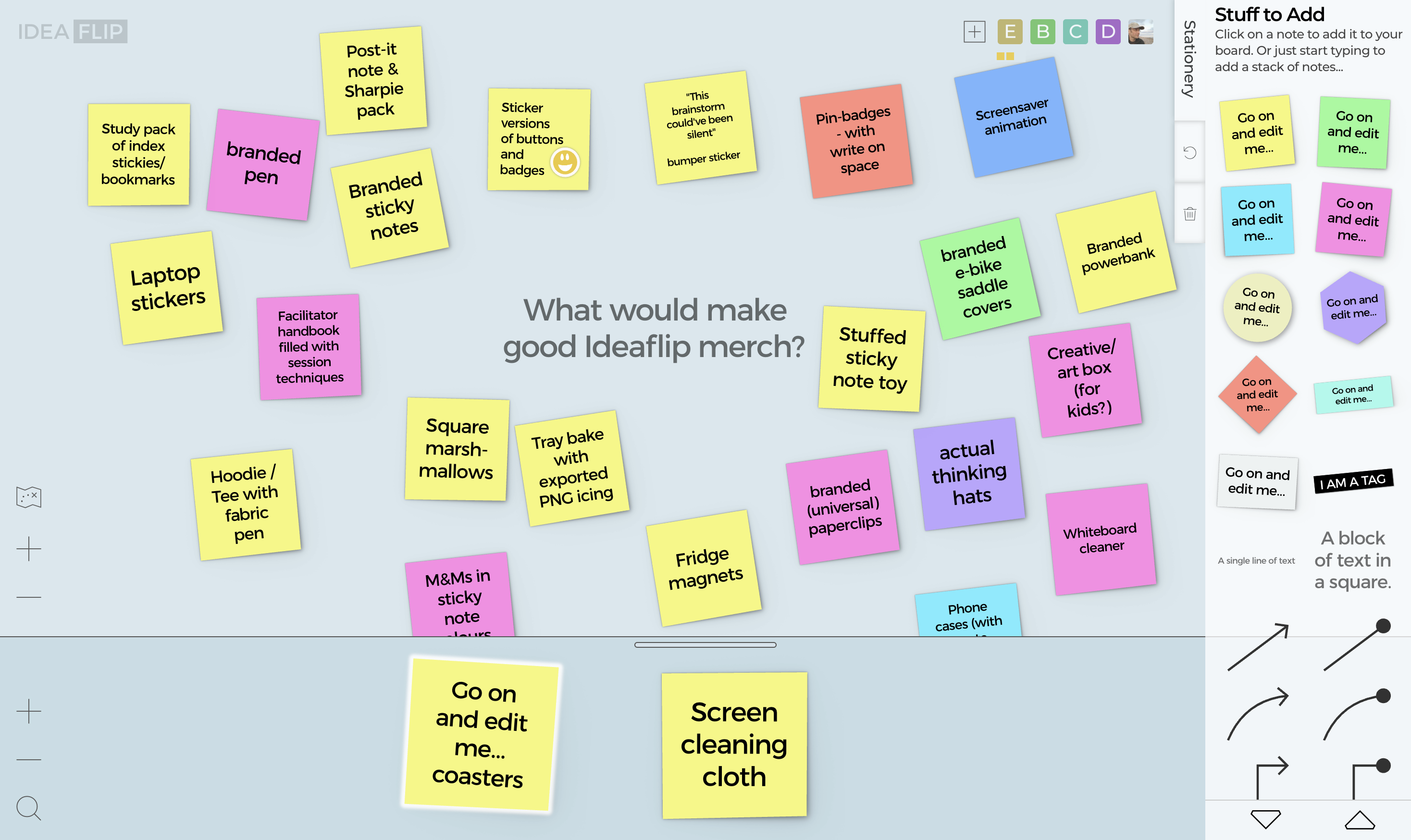
The user avatars at the top right of the screen are in a consistent left-to-right order, so you can refer to them if that's the easiest way to 'go around the table'.
Each person should briefly elaborate on the idea as they present it. Chat from other participants should ideally be kept to clarifying questions only during this process. Notes however can be edited to make them clearer - or to split two ideas onto a note each.
And if a note sparks a new idea for anyone, they should quietly note that for sharing when it's their turn.
Organise together
There's no right or wrong way to place the notes on the board - but during the sharing folk will tend to place ideas that are similar next to each other. Once everyone has finished sharing though it's time to take this process further.
You can ask everyone to move notes closer to ones that they think are similar, or share some other common feature (e.g. large cost). As facilitator, it's a good idea to be clear on what you want to achieve here - is it reducing the sheer number of ideas to common themes - or assessing for practicality/fit to a mission statement - that sort of thing.
Remember that Ideaflip boards have two dimensions - make use of that canvas space!
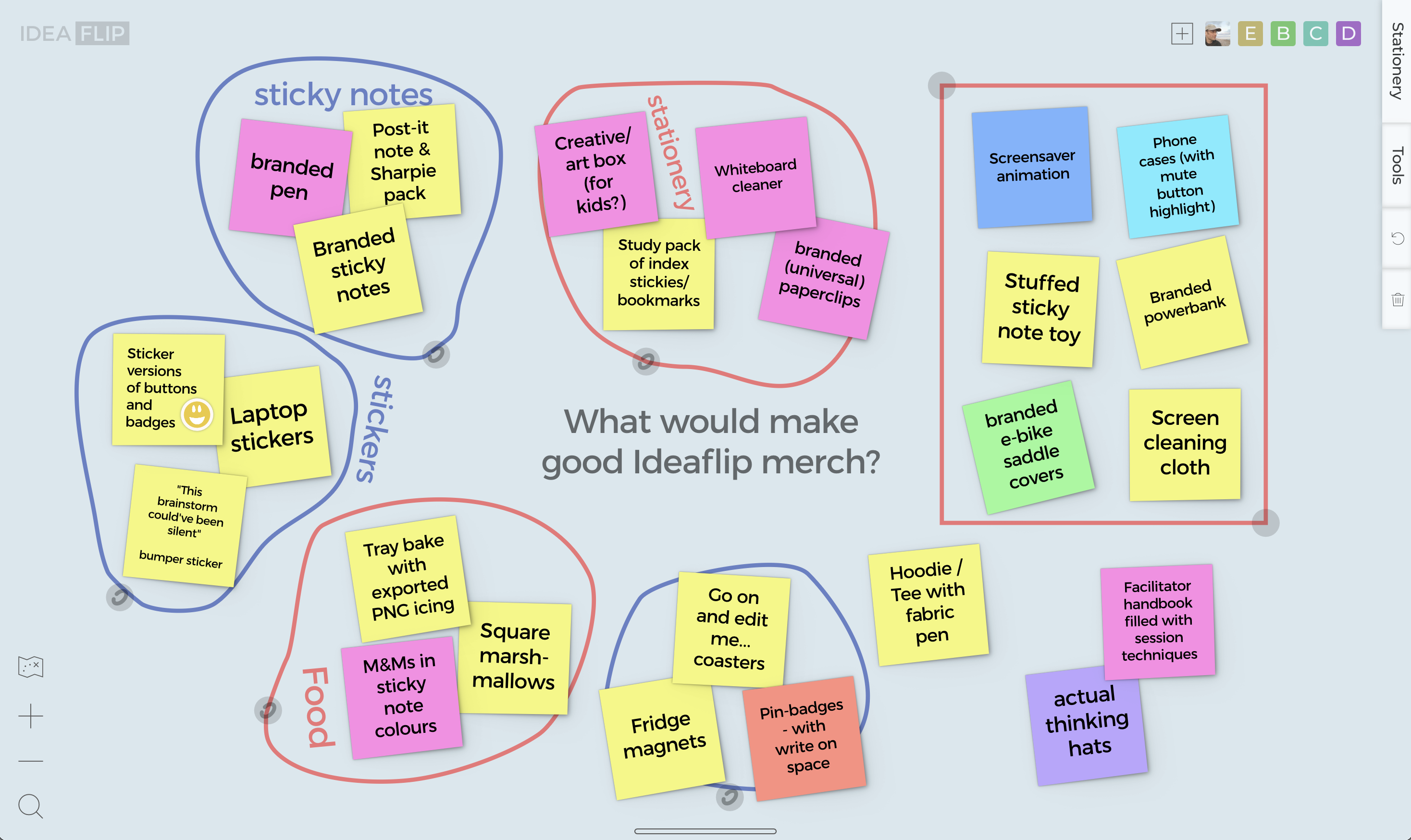
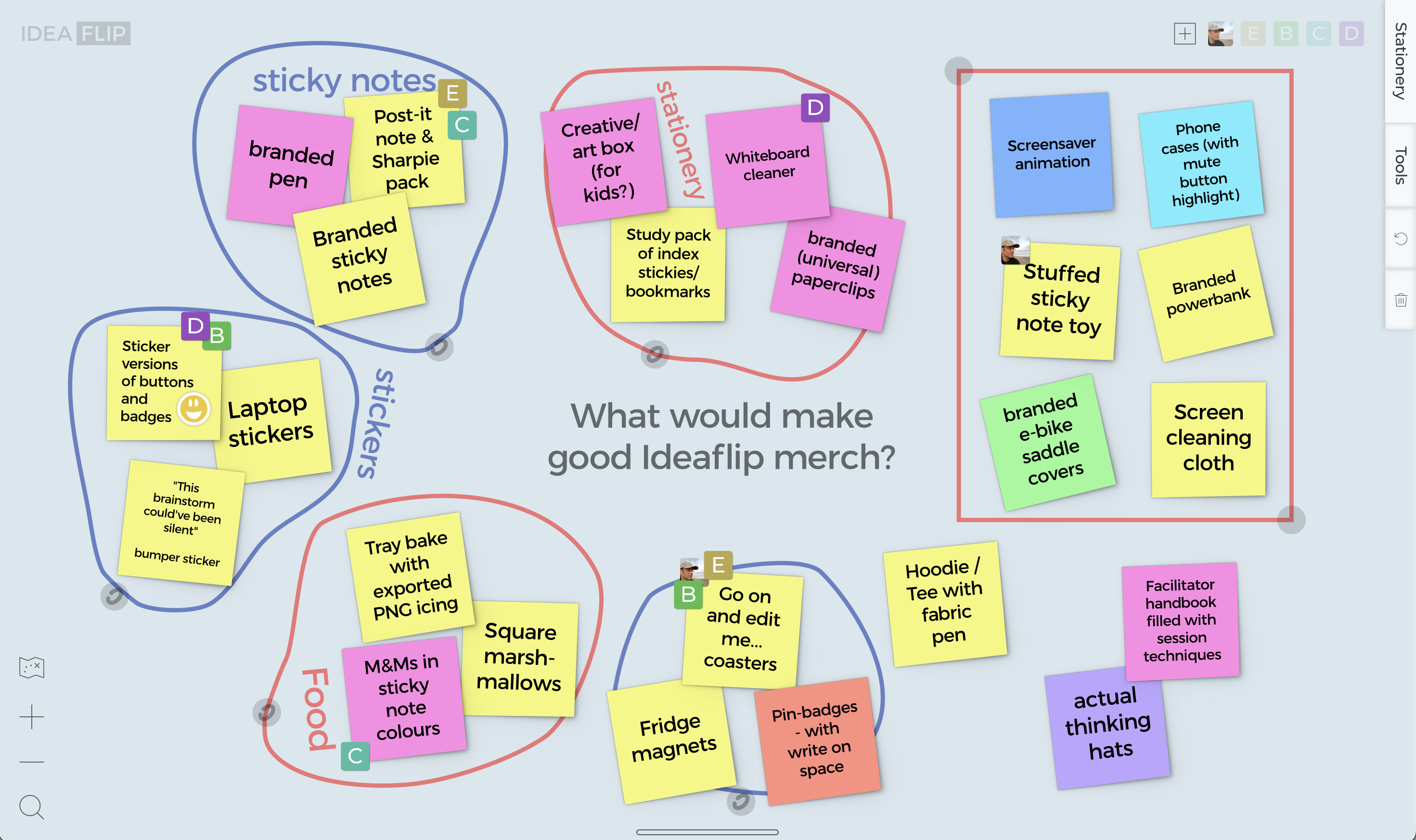
When you've finished positioning the notes, you can use Ideaflip's groups to highlight and label specific sets of notes. Either drag them on from the side and resize them using the control handles - or draw them directly on the board using a long-press. Groups can, of course, overlap (like a Venn diagram) if notes need to belong to more than one category. Tap twice to give them a label.
Spot the best ideas
Depending on the topic, or what you want to do next, you might want to check in with everyone to see which ideas they favour. This can be done using 'dot voting' with everyone been asked to place, say, three of the coloured dots on the notes they'd like to see developed further.
There are lots of variations on this approach - you can enforce that folk have to choose separate ideas - or allow them to place all three on one note if they have a strong preference!
You can use different colored dots for different things - or make use of the stickers with their happy/sad emojis to express negative opinions (things that shouldn't be taken forward).
While the dots and stickers are semi-anonymous - one hidden feature of Ideaflip allows you to drag your avatar from the top right-hand corner onto a note. Using this approach you can see who's voted for what.
Onward!
At Ideaflip, we strongly believe that the process is as important as the result. The benefit of working together to develop ideas, sharing perspectives and discussing priorties is invaluable.
Nonetheless, it's also useful to be able to share the results easily or to take them on to be worked on further outside of the meeting.
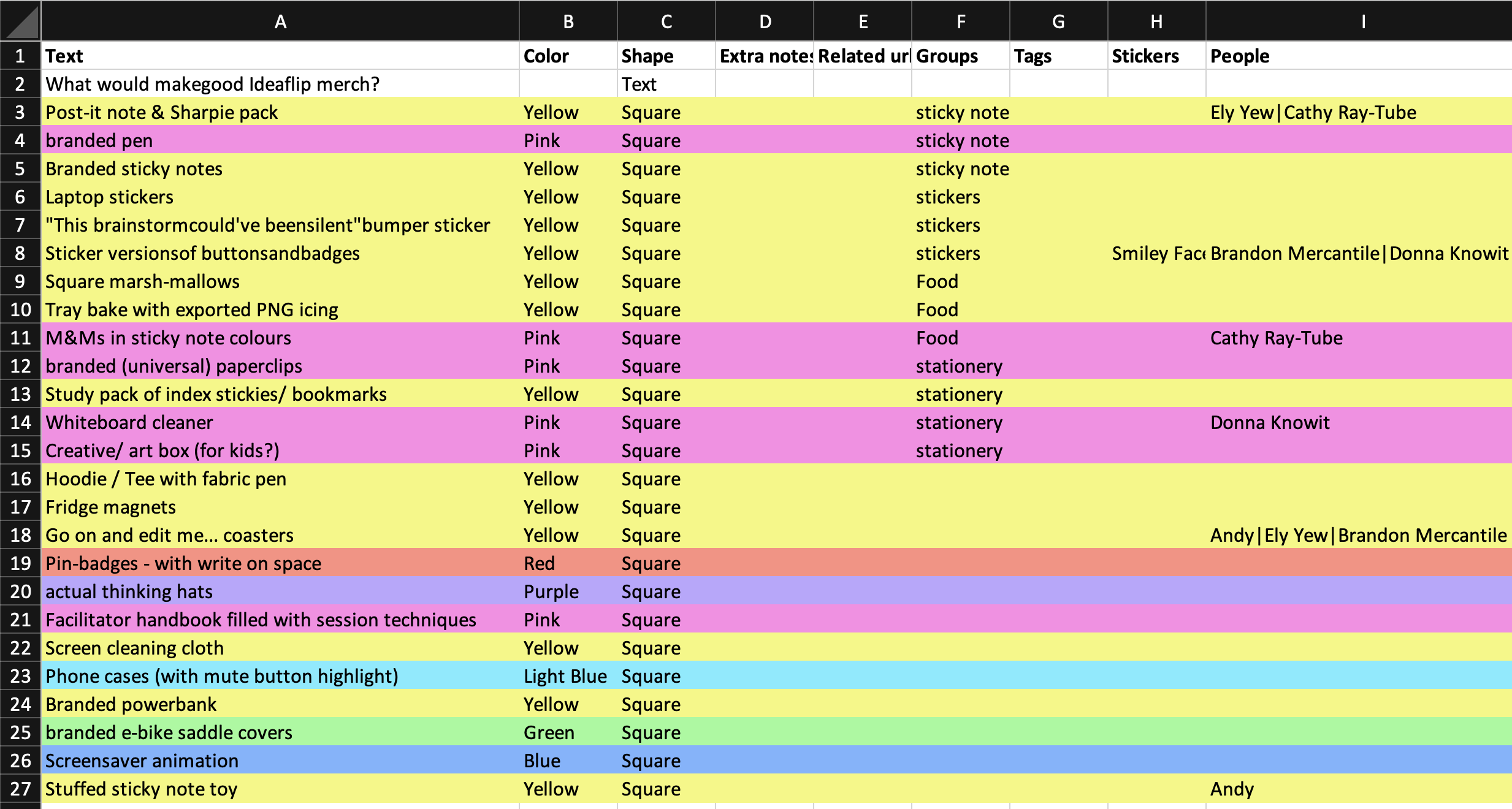
Here Ideaflip offers a choice of export formats - PNG images for dropping into documents or PDFs for attaching to emails. We even provide Excel files that contain the grouping and voting information that can be sorted and cribbed from easily.
Whatever you choose to do next with your insights, you can be sure that everyone has had a chance to contribute their creativity and expertise, getting the absolute best from your team.
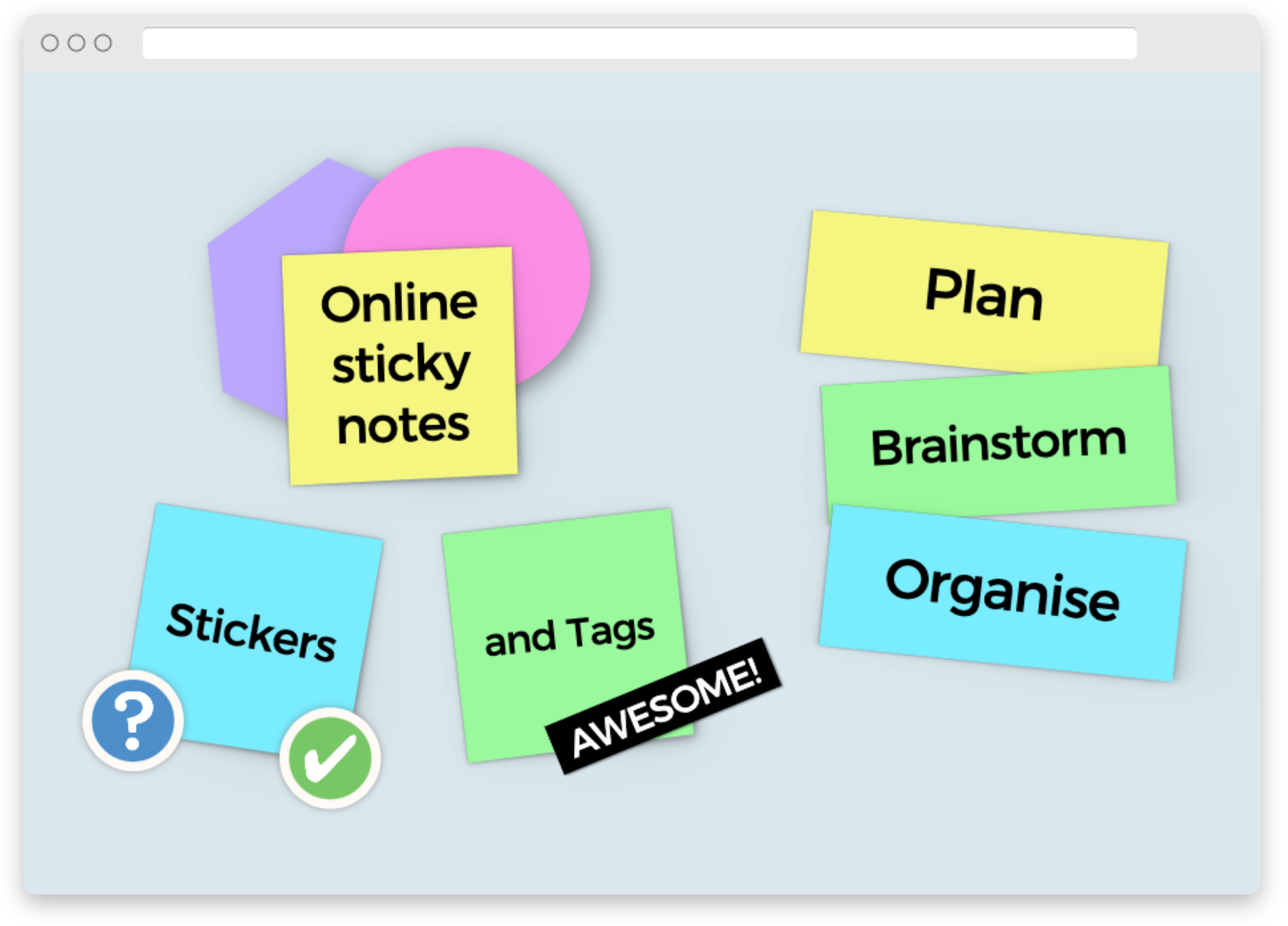 Online sticky notes to plan, organise and brainstorm with your team remotely